Clean your camera roll one swipe at a time.
Swipe right to keep, left to delete. Photo Cleaner turns years of photos into quick monthly decks, finds duplicates automatically, and shows exactly how much space you free — all on your device.
Three steps to a lighter phone.
No bulk-select gymnastics, no cloud uploads. Pick a deck, make quick calls one photo at a time, and commit deletions in a single confirmed batch.
Pick a deck
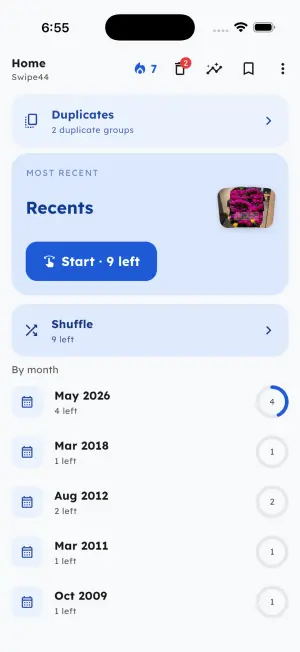
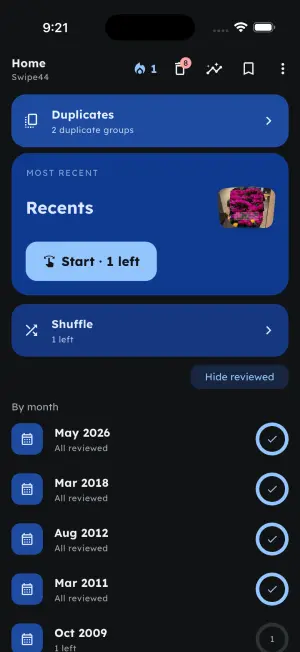
Start with Recents, shuffle with Random, or work through one month at a time. Every deck remembers where you left off, so you never see the same photo twice.
Swipe through it
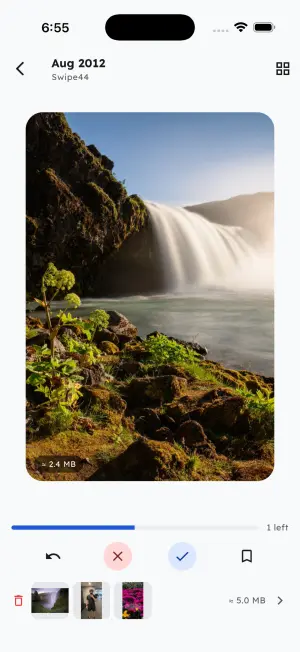
Right to keep, left to delete. Marked photos pile up safely in a pending list you can review — and rescue from — before anything actually happens.
Delete in one batch
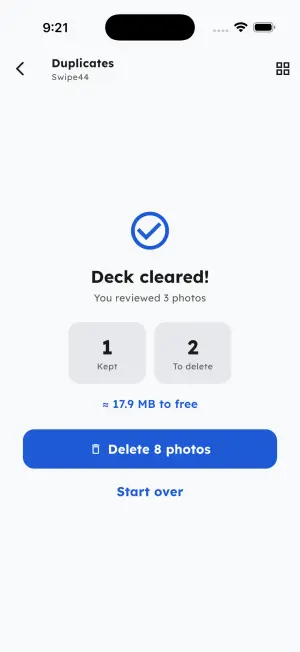
Commit the whole pile with a single system confirmation, see exactly how much space you freed, and watch your lifetime tally grow.
Why swiping beats scrolling.
Most camera rolls grow faster than anyone can curate them: burst shots, screenshots, blurry takes, and fifteen near-identical photos of the same sunset. The built-in Photos app makes cleaning up a chore — long-press, tap, scroll, tap, repeat — so the backlog just keeps growing until your phone announces that storage is full.
Photo Cleaner flips the problem into single decisions. Each photo appears as one card: swipe right to keep it, left to mark it for deletion. Decided photos never come back, so every session makes real progress, and monthly decks turn a decade of photos into pieces small enough to finish over a coffee. Duplicates get their own treatment — on-device visual matching groups look-alike shots so you can keep the best and drop the rest. Nothing leaves the pending pile without your explicit confirmation, and nothing ever leaves your phone at all.
Give your camera roll ten minutes — download Photo Cleaner, free on iOS & Android →
Built to make deleting feel effortless.
Everything you need to work through years of photos — and nothing that slows you down or phones home.
Monthly & weekly decks
Your library is split into bite-size decks — Recents, Random, and one per month — so a ten-thousand-photo backlog becomes a series of five-minute sessions.
Duplicate finder
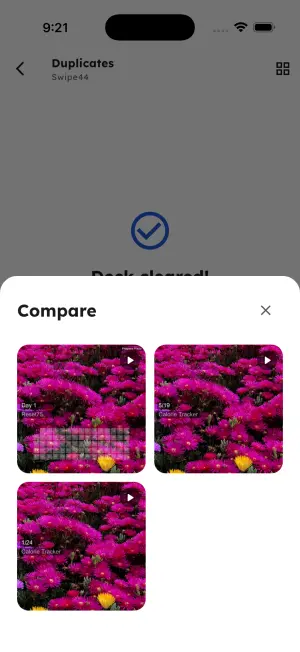
On-device visual matching groups near-identical shots side by side, newest first, so you keep the best one and clear the rest of the burst.
Safe by design
Nothing is deleted without your device’s own confirmation dialog. Until then, marked photos wait in a reviewable pending pile you can restore from anytime.
See the space you free
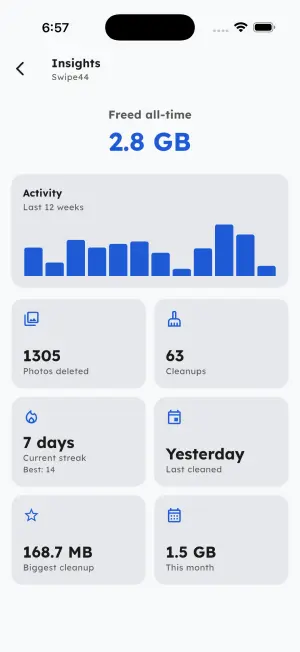
Every cleanup ends with a freed-space report, and Insights tracks lifetime megabytes reclaimed, cleanup streaks, and your biggest sessions.
Private & offline
No account, no uploads, no ads. Decisions and stats stay on your phone — the app never copies, transmits, or backs up your photos.
Bookmarks & undo
Save photos for later without deciding, undo an accidental swipe, and reset any deck whenever you want a second pass.
Small apps that do
one job well.
Swipe44 is part of a small lineup of focused, no-nonsense apps and free web tools. Private by design — no accounts, no ads.
Reset75
A 75-day hard-mode challenge tracker — strict daily habits, honest streaks, and progress photos, all logged on your phone.
Paycheck Calculator
Estimate your take-home pay in seconds — hourly or salary, with taxes and deductions handled for you.
Tip Tracker
Log tips per shift and see your real hourly rate, daily totals, and best nights at a glance.
Frequently Asked Questions
Does Photo Cleaner delete photos permanently?
Not without you confirming it. Photos you swipe left collect in a pending pile you can review and rescue from. Committing the pile shows your device’s own delete confirmation, and even then photos move to the system’s Recently Deleted album first — they are only gone for good once that album is emptied or expires.
Are my photos uploaded anywhere?
No. All triage, duplicate matching, and stats run entirely on your device. The app works from thumbnails and metadata, never copies or transmits your photos or videos, and never downloads iCloud-offloaded originals. No account is required.
Is Photo Cleaner free?
Yes — swipe triage across every deck, batch deleting, and freed-space tracking are free, with no ads. An optional Pro subscription (with a 7-day free trial) unlocks all duplicate groups, the full Insights dashboard, Bookmarks, and every theme.
How does duplicate detection work?
The app builds a compact visual fingerprint of each photo on your device and groups shots that look nearly identical, newest first, with the newest suggested as the keeper. You review every group yourself — the app never deletes a duplicate on its own.
How much storage can I actually free up?
It depends on your library, but duplicate bursts, screenshots, and old videos are usually the fastest wins. Every cleanup ends with a freed-space report, and the app keeps a running lifetime tally so you can see the gigabytes add up.
Which devices and languages are supported?
Photo Cleaner runs on iOS and Android and is localized into 39 languages. It supports both full photo-library access and iOS’s limited “selected photos” access, and it respects iCloud — offloaded originals are never downloaded.
Reclaim your storage today.
Free on iOS and Android. Swipe your first deck in under a minute — no account, no uploads, no ads.
The shape of the app.
Real screens from Photo Cleaner — decks, swipe triage, duplicate groups, and the space you've freed.